An update started, ran, and stopped with an error. That is a different problem from an update that never appears, and it is usually a simpler one.
Almost every time, WordPress could not replace the old plugin folder with the new files.
The common one
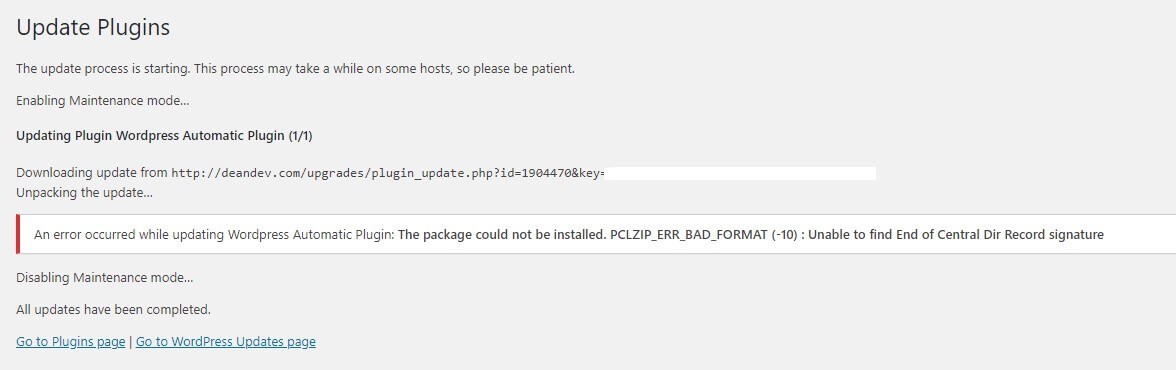
The package could not be installed. PCLZIP_ERR_BAD_FORMAT (-10) : Unable to find End of Central Dir Record signatureIt reads like a corrupt file and it usually is not. WordPress downloaded the update, could not finish writing it into place, and reported the last thing that went wrong rather than the first.
The fix that works
Install the new version by hand. It takes a minute and it goes around whatever the updater tripped on.
- Download the current version from your account dashboard on 99plugs.com.
- In WordPress, go to Plugins → Add New Plugin → Upload Plugin and choose the zip.
- WordPress tells you the plugin is already installed and asks whether to replace the current version with the uploaded one. Say yes.
Your settings and your content stay exactly where they are. This is a normal WordPress operation, and it is what our support team does when an update refuses to go through.
Why the updater could not write the folder
Worth knowing if it keeps happening rather than being a one-off.
- File permissions. The web server user cannot write into
wp-content/plugins. Your host can fix this in a minute. - Disk space. A full account fails in exactly this way, and the error never mentions disk space.
- Memory or execution time. A large plugin on a small hosting plan can run out of either partway through.
- A security plugin or a host-level file lock holding the folder open.
If the same error hits every plugin rather than one, it is one of these and your host is the fastest route to an answer.
If the update never appeared in the first place
That is a different article. See My updates are not showing up in WordPress for the setup causes, or Update failed, or the new version is not there yet if you are waiting on a version we have not packaged.
If the site broke after the update
Roll back. The 99Plugs Update Manager backs up plugins and themes before every update, so the previous version is a few clicks away under Tools → 99Plugs.
Then work through Something broke after I installed or updated a plugin.
Still stuck
Open a ticket and tell us the plugin and the exact error text. We will install that product on our test server and reproduce it.